Username
The user that wants to activate TOKEN
Status
After activating the TOKEN for the user, login will be only possible using the generated TOKEN by the Google Authenticator app.
After activating the TOKEN, in the next user login will be requested to scan the QR CODE as shown in the image below
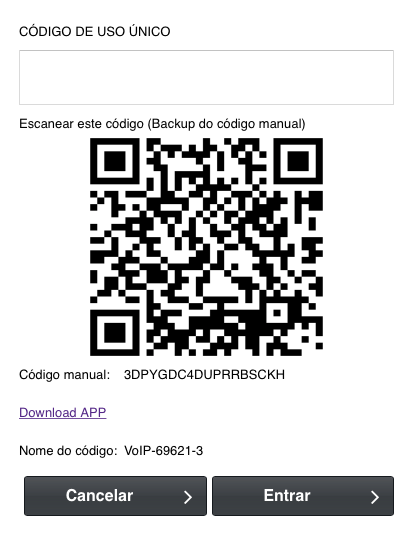
To scan the code will be necessary to install the Google Authenticator app, this app will be available to download in the app store for iOS and Android.
It’s important to save the manual code shown in the image, in case if you ever need to activate the token in another phone the code will be necessary.
With the token of Google Authenticator will be only possible to login into the panel or deactivate the token function
Code
The code will be necessary to deactivate the TOKEN. In case if you don’t have the code anymore, will be necessary to deactivate via the database.
Google authenticator key
This KEY will be necessary to activate the TOKEN in a different phone